
Traffic Jam 3D
Dodge dense highway traffic in a 3D driving run built for reflexes and lane timing.
Free to play in your browser — no download required.
About this game
Traffic Jam 3D puts you on a busy highway where hesitation costs more than speed. You weave between cars, pick lanes early, and try to keep momentum without clipping traffic. The fantasy is simple: feel fast, stay readable, and survive longer stretches of dense flow.
Unlike open-world racers, this style of browser driving focuses on the next three seconds. Cars stack in lanes, gaps open and close, and your job is to read the pack. Missions and coin pickups (when available in the build) give short goals so runs feel purposeful instead of endless empty highway.
On PokiiiGame you can open Traffic Jam 3D without installing a store app. That matters for players who want a quick driving fix on a school or work break. Desktop keyboard steering is precise; mobile touch or tilt-style controls (depending on the build) keep the same loop in your pocket.
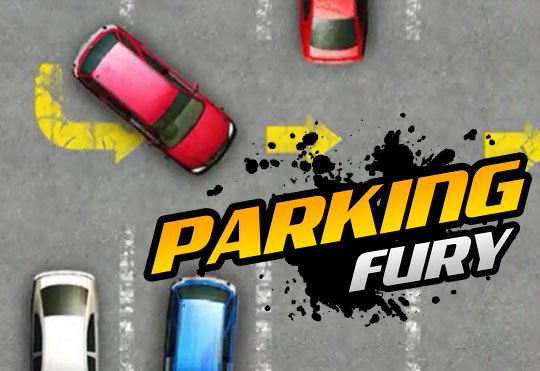
Who this is for: players who like reflex driving and short high-focus runs. Who should skip it: fans of slow parking puzzles (try Parking Fury) or comedy kart chaos (try Funny Mad Racing).
Use this page to learn the flow before you jump in: how to plan lane changes, when to brake instead of forcing a gap, and how upgrades (if present) change the handling window. Then hit Start Game. PokiiiGame keeps written help on the detail page so the play embed is a choice, not the only content.
How To Play
- Steer with arrow keys or WASD (or on-screen controls on mobile).
- Change lanes early — late swerves cause crashes.
- Watch traffic two cars ahead, not only the car beside you.
- Complete distance or mission goals to earn rewards when offered.
- Restart quickly after a crash and try a cleaner line.
Features
- 3D highway traffic with escalating density
- Fast restart loop for score chasing
- Keyboard and mobile-friendly controls
- Free browser play on PokiiiGame
- Short sessions that still feel skill-based
Controls
- Desktop: Arrow keys / WASD to steer and adjust speed where supported
- Mobile: On-screen buttons or drag steering depending on the build
- Brake before packed clusters instead of only accelerating
- Fullscreen via the PokiiiGame play toolbar
Tips & Tricks
- Treat the rightmost or leftmost lane as a recovery lane when traffic clumps.
- Overtake on the side with the longer visible gap, not the nearest bumper.
- If a truck blocks vision, slow half a beat before committing.
- Chain clean lane changes instead of zig-zagging every second.
- After a crash, change your opening lane choice to break bad habits.
Frequently Asked Questions
Is Traffic Jam 3D free?
Yes. Play it in your browser on PokiiiGame at no charge.
Do I need a gaming PC?
No. It is an HTML5-style browser game. A modern phone or laptop is enough.
Why do I crash so often?
Late lane changes. Decide one car earlier and keep speed steadier.
Can I play offline?
You need a connection to load the play page. After assets load, playability depends on the game build.
Related guides
Ready to play? Open the full-screen player and start in one click.
Start Game